 Loading... Please wait...
Categories
 New Products
-
 £24.31
-
 £1.55
£1.55
-
 £59.95
-
 £44.95
-
 £99.00
Our Newsletter
- Home
- Lighting Control
- X10 Powerline Control
- Lamp Modules
- Marmitek X10 Screw-in Lamp Module LM15ES
- Home
- X10 Home Automation
- X10 Plug in Modules
- Marmitek X10 Screw-in Lamp Module LM15ES
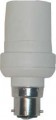
Marmitek X10 Screw-in Lamp Module LM15ES



Product Description
Features
- Fits into standard ES screw-in lamp holder.
- No dial required for setting unit address.
- Suitable for use with energy saving bulbs
Lamp module which fits into a standard ES lamp holder. Provides ON and OFF functions and responds to ALL-LIGHTS-ON and ALL-UNITS-OFF X-10 commands.
Please note that this unit does not have any dimming functionality.
InstallationInstallation
- Remove the light bulb from its socket and insert the LM15 into the light socket.
- Insert a standard light bulb (up to 100W) into the LM15. Energy saving bulbs can be used with this product.
- Turn the lamp switch on if appropriate.
- Set any X-10 controller to the House Code and Unit Code you want want the LM15 to respond to.
- Press the ON button (corresponding to the Unit Code you want the LM15 to respond to) on the X-10 controller three times, at about one second intervals. On the third press, the lamp will turn on signifying that the code has been learnt. To set the code from an IR7243 Infrared Command Centre, press the number three times only.
- To change the code that the LM15 responds to, turn off the power to the unit, turn it back on and repeat the previous step within 30 seconds after applying power.
Specification
Dimensions
Dimensions: Length 45, Width 45, Height 95 mm
Supply Voltage
Supply voltage: 230V +10%/-15% 50Hz
Switching power: max. 100 W/230V for open shades, max. 60 W/230V for closed shades. Does not contain a dimmer
This product is CE approved for use in the EU
Find Similar Products by Category

Customers Who Viewed This Product Also Viewed
Why buy from us?
Great customer service
Telephone support during office hours, and email support quite often out of hours too!
30 day money back guarantee
All products are covered by our 30 day money back guarantee. If you're not happy, return the goods to us in the condition you received them for a full refund.
Free 'super saver' delivery
Not in a hurry? Our super saver delivery option gives you free delivery within 5 - 7 days (although many customers receive their items much quicker!)